Using Data Views to Build Better KPIs
June 15, 2026
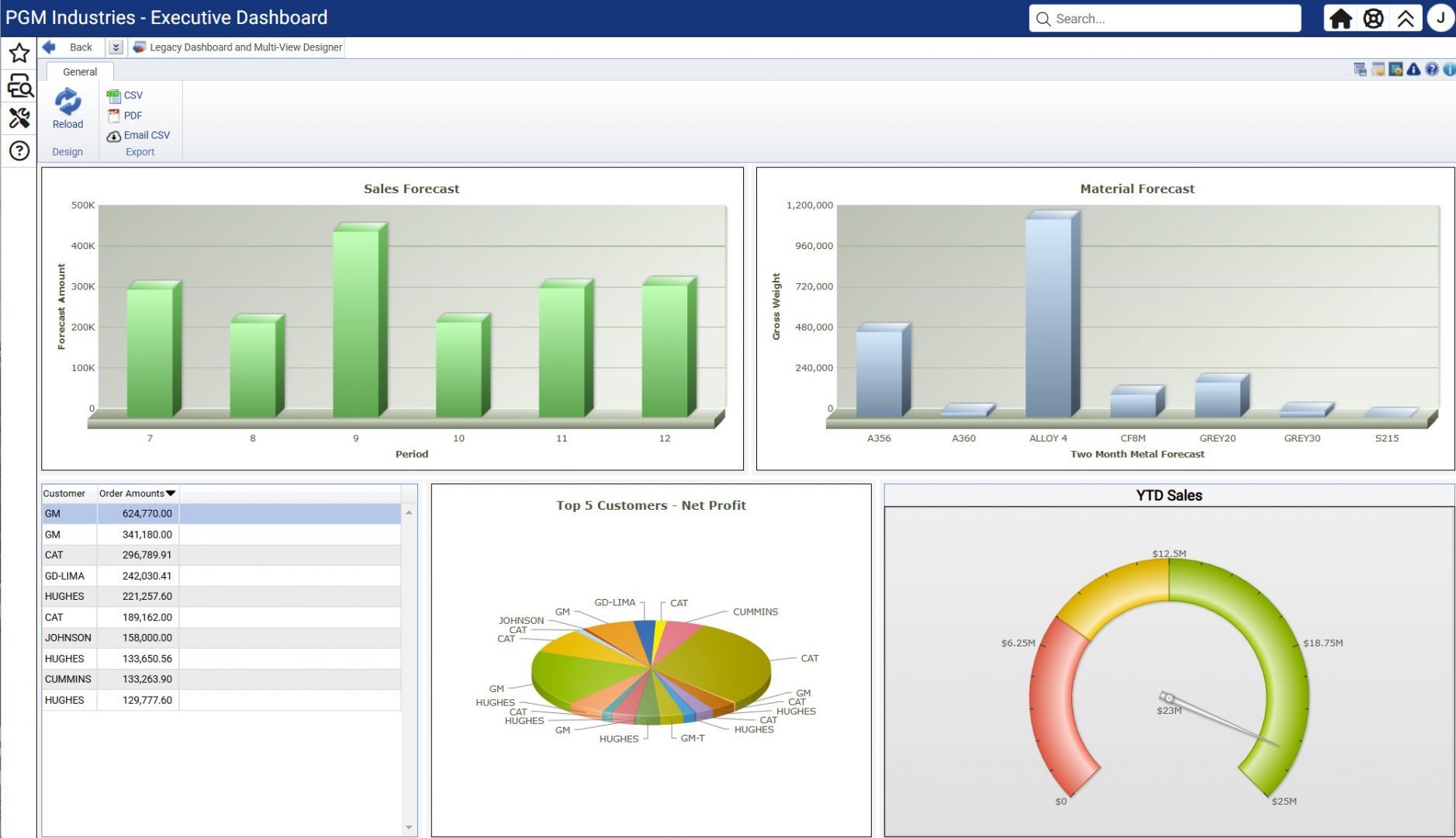
Learn how to build meaningful KPIs using Data Views in Odyssey ERP, align them with your business goals, and turn your data into clear, actionable insights.

June 15, 2026
Learn how to build meaningful KPIs using Data Views in Odyssey ERP, align them with your business goals, and turn your data into clear, actionable insights.
June 17, 2026
10-3 PM ET
In-person or remote
$325
Learn how to unlock the full potential of Odyssey’s administrative features in this one-day technical workshop. By the end of this class, you will be able to customize the user experience and manage system security to better support your entire team.
What You'll Learn:
- Design custom screens and use the Profile Manager to manage favorites
- Manage system security, including security groups and password changes
- Handle Crystal Reports for Cloud customers and schedule reports to run automatically
- Perform table purges, system monitoring, and link external files or images
This is a great class for Odyssey ERP administrators.
Training materials will be sent upon registration. Computers, internet access, snacks, and lunch will be provided for those attending in person.

July 20, 2026
Learn to create scenario-based forecasts and generate capacity and material requirements to support smarter planning.
July 28, 2026 - July 29, 2026
Booth #1 | DoubleTree by Hilton | Minneapolis, MN
Industry 4.0 is now more than a buzzword and modern foundries are using it to stay competitive.
We’re heading to Minneapolis this July to showcase how our software helps metalcasters bridge the gap between traditional casting and smart manufacturing. If you’re looking for ways to improve productivity and safety through better technology, we’d love to show you what we’ve been working on.
Stop by Booth #1 to see Odyssey ERP in action. Whether you are just starting your digital transformation or looking to refine your current tech stack, let’s discuss how to make Industry 4.0 work for your specific operation.
If you’re attending the conference, make sure to visit us at Booth #1 during the evening reception on July 28th or between sessions. We look forward to seeing how you’re shaping the future of your foundry!
August 10, 2026 - August 11, 2026
9-4 PM ET
In-person or remote
$650
Learn to use Odyssey ERP data to create reports in this interactive, hands-on 2-day training. By the end of the class, you’ll be confident in creating, refining, and customizing Crystal Reports to deliver actionable insights for your team. You’ll also have the chance to earn your Crystal Reports Certification to show your skills.
What You’ll Learn:
- Build and customize reports using the standard report wizard
- Modify existing reports to fit your unique business needs
- Create new reports from scratch
- Set up reports for easy access
Training materials will be delivered upon registration. In-person attendees may bring their own laptop or have one provided, and lunch will also be served. For virtual attendees, dual monitors are recommended.
August 12, 2026 - August 13, 2026
9-4 PM ET
In-person or remote
$650
Receive hands-on experience with Odyssey ERP in this 2-day training. By the end, you can earn your Odyssey Pro Navigator Certification to show your mastery of the core processes. Whether you're a new user or seeking a comprehensive refresher, this course gives you a guided tour through the software’s most important processes.
What You’ll Learn:
- Navigate Odyssey with confidence across key modules
- Follow a new product through Production, Quality, Inventory, Shipping, Billing, and Cash Receipts
- Understand end-to-end business operations, including Quote-to-Cash and Requisition-to-Pay
- Apply job costing principles and leverage essential end-user tools
Training materials will be delivered upon registration. In-person attendees may bring their own laptop or have one provided, and lunch will also be served. For virtual attendees, dual monitors are recommended.
September 29, 2026 - October 1, 2026
Booth #301 | DeVos Place Convention Center | Grand Rapids, MI
We’re excited to head back to Grand Rapids this September for the die casting industry’s premier technical event. Between the shift toward structural castings and the increasing need for process automation, there is a lot to discuss regarding the future of North American die casting. We’ll be on-site to talk about how the right data strategy can help you navigate these changes while keeping your operations lean and competitive.
Stop by Booth #301 to catch up with our team and see how we’re helping die casters solve their toughest shop floor challenges.
October 12, 2026 - October 13, 2026
9-4 PM ET
In-person or remote
$650
Receive hands-on experience with Odyssey ERP in this 2-day training. By the end, you can earn your Odyssey Pro Navigator Certification to show your mastery of the core processes. Whether you're a new user or seeking a comprehensive refresher, this course gives you a guided tour through the software’s most important processes.
What You’ll Learn:
- Navigate Odyssey with confidence across key modules
- Follow a new product through Production, Quality, Inventory, Shipping, Billing, and Cash Receipts
- Understand end-to-end business operations, including Quote-to-Cash and Requisition-to-Pay
- Apply job costing principles and leverage essential end-user tools
Training materials will be delivered upon registration. In-person attendees may bring their own laptop or have one provided, and lunch will also be served. For virtual attendees, dual monitors are recommended.
October 14, 2026 - October 15, 2026
9-4 PM ET
In-person or remote
$650
Learn to use Odyssey ERP data to create reports in this interactive, hands-on 2-day training. By the end of the class, you’ll be confident in creating, refining, and customizing Crystal Reports to deliver actionable insights for your team. You’ll also have the chance to earn your Crystal Reports Certification to show your skills.
What You’ll Learn:
- Build and customize reports using the standard report wizard
- Modify existing reports to fit your unique business needs
- Create new reports from scratch
- Set up reports for easy access
Training materials will be delivered upon registration. In-person attendees may bring their own laptop or have one provided, and lunch will also be served. For virtual attendees, dual monitors are recommended.
October 25, 2026 - October 28, 2026
Booth #213 | DeVos Place | Grand Rapids, MI
We are looking forward to joining the investment casting community this October for the industry’s primary forum on advancing casting science and engineering. We’ll be on-site to discuss how better data management and integrated software can help your operation meet these rigorous standards while staying efficient.
Stop by Booth #213 to catch up with our team. We’ll be sharing strategies that help investment casters maintain their competitive edge in high-stakes markets.
October 28, 2026
9-4 PM ET
In-person or remote
$325
Learn how to use Odyssey's Maintenance, Gauge, Asset, and Capital Project tools to protect equipment reliability, ensure compliance, and control costs in this comprehensive full-day workshop. By the end of the class, you'll know how to configure each module correctly, drive accountability across your team, and generate meaningful reporting for both operational and financial decision-making.
What You'll Learn:
- Build and manage preventive and corrective maintenance schedules and work orders
- Establish calibration cycles, maintain gauge traceability, and prepare for audits
- Set up asset lifecycle tracking, including depreciation and financial integration
- Submit and approve capital requests, track budgets, and transition projects into active assets
This class is great for Maintenance Managers, Plant Managers, Operations Leaders, Quality Managers, Controllers, and ERP Power Users supporting plant operations.
Training materials will be sent upon registration. Computers, internet access, snacks, and lunch will be provided for those attending in person.
November 10, 2026
9-4 PM ET
In-person or remote
$550
Learn how product costs are calculated in Odyssey — from quoting through standard cost and job costs — so you can price competitively and trust your numbers. By the end of the class, you'll have the tools to ensure your costs are accurate and the confidence to apply them in your day-to-day work.
What You'll Learn:
- Understand how Odyssey calculates costs across quoting, standard cost, and job costing
- Identify where cost inaccuracies originate and how to correct them
- Apply costing tools to support competitive pricing and financial decision-making
Dedicated time with a B&L expert is built into the day, so bring your costing questions!
Training materials will be sent upon registration. Computers, internet access, snacks, and lunch will be provided for those attending in person.